Lightweight Android launcher for saving and opening recurring links
Save HTTP/HTTPS links, email addresses, and phone numbers, then launch them from the Android home screen using quick actions. Oleksii Lemeshinskyi created URL launcher as an open-source social-communication utility that centralizes frequently used links. The app emphasizes privacy with no data collection, offers a single view to copy all entries for backup, and targets students, professionals, and anyone who repeatedly joins meeting rooms or reference pages.
What the app actually does for everyday communication
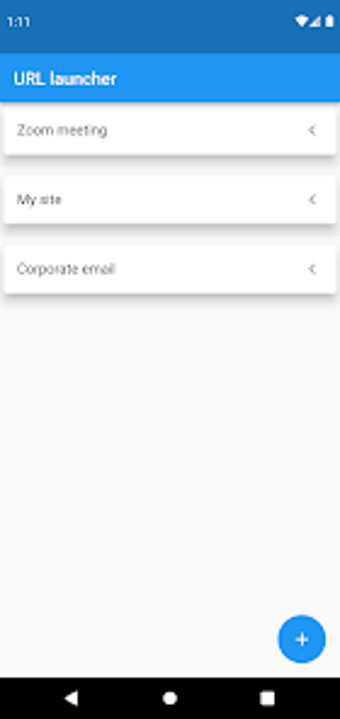
URL launcher stores standard web links, mailto entries, and telephone numbers so you don't hunt through browsers or messages. Saved items open in the system browser, the default mail client, or the dialer, which keeps each shortcut tied to the device's native handlers. The central list shows all entries and lets you copy them for a manual backup, supporting workflows that rely on repeated, predictable links.
How private are your saved links?
The developer states the app collects no personal data and the source code is publicly available on GitHub, which lets reviewers inspect data flows. That design choice means metadata handling is transparent: there is no built-in telemetry or third-party sharing reported. Users who need local-only storage get a tool aligned with that model, because saved links remain on the device and are exportable via the copy-all view.
Is it quick to access links across the device?
The app integrates quick actions for home-screen launching, so you can open a saved URL without first opening the main interface. The Flutter-based interface presents a minimalist view that focuses on immediate actions rather than nested menus. For people who need repeated, low-friction access to meeting rooms or contacts, the home-screen shortcuts reduce the steps between intent and launch.
A compact tool that fits users who need predictable link access
The app is a focused option for students and professionals who require rapid, local control of recurring links while keeping data off external services. Its limited scope means it does not replace full-featured bookmark managers or cloud-synced link libraries, so choose it when local, privacy-conscious link storage and quick home-screen launching are the priorities.